ADFS signing certificate rollover
A few weeks ago it was the time of the year that the signing certificate of ADFS was expiring. Last year it took us by surprise because the ADFS team did not notify us and we did not put it in our agenda’s that the certificate would expire. So last year we had a lot of people complaining that SharePoint 2013 was not available anymore.
This year we had it in our agenda’s that the certificate would roll over, so we were prepared for a roll over and had contact with the ADFS team and made an arrangement to roll over the certificate. I also found a nice script that can be ran to prepare for the roll over. This script will download the new certificate and when the secondary certificate becomes the primary the script will update SharePoint.
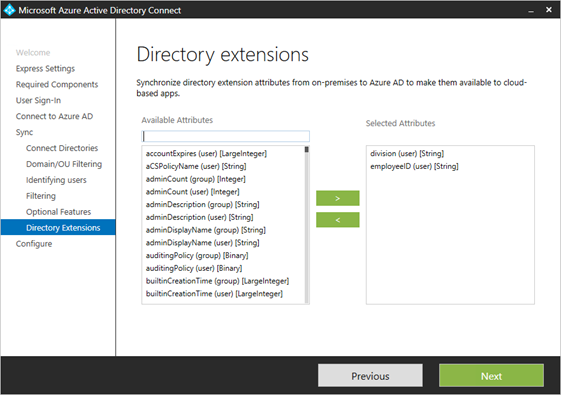 This screenshot has selected division and employeeID, but in the complete list of available attributes there are also the ExtensionAttributes. When you do not select them here, the extension attributes will be in the synchronization.