Azure AD Conditional Access
Last week Microsoft made Azure AD conditional Access publicly available. Let me explain what it is and why we would like to have this.
What is it?
First let’s talk about what it is. Azure AD conditional access lets you decide per application in Azure AD how your authentication should be handled. By default all the applications use the same kind of authentication. It does not matter if you are inside the company walls or at Starbucks.
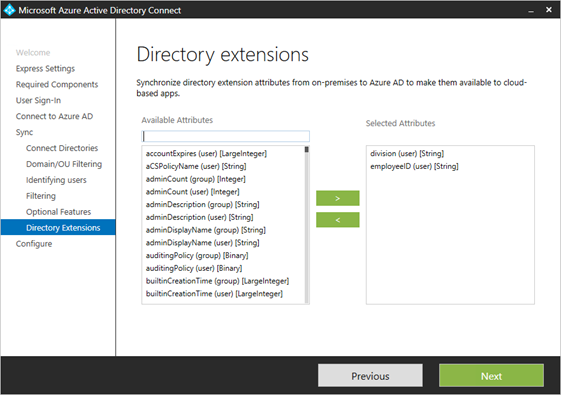 This screenshot has selected division and employeeID, but in the complete list of available attributes there are also the ExtensionAttributes. When you do not select them here, the extension attributes will be in the synchronization.